
Navigation:
ArsClip 5.39 freeware
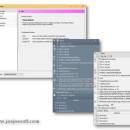
ArsClip remembers the last 15 (default) or more text entries entered into the Window's clipboard and can be configured to monitor non-text items. Delphi 6 (Personal) source code is included - modify it freely for any non-profit use. NOTE: The newer versions are compiled with Turbo Delphi for Win32 (also a free download). ...
| Author | Jackass JoeJoe |
| Released | 2024-02-27 |
| Filesize | 3.50 MB |
| Downloads | 2444 |
| OS | Windows XP, Windows Vista, Windows Vista x64, Windows 7, Windows 7 x64, Windows 8, Windows 8 x64, Windows 10, Windows 10 x64, Windows 11 |
| Installation | Instal And Uninstall |
| Keywords | clipboard monitor, paste item, keypress emulation, clipboard, monitor, hotkey |
| Users' rating (32 rating) |
ArsClip Free Download - we do not host any ArsClip torrent files or links of ArsClip on rapidshare.com, depositfiles.com, megaupload.com etc. All ArsClip download links are direct ArsClip download from publisher site or their selected mirrors.
| 5.39 | Feb 27, 2024 | New Release | |
| 5.38 | Nov 25, 2023 | New Release | (Window: Popup) Fix: various scrollwheel issues (Window: Configuration) New: added Enhanced Clipboard Delete setting in Clipboard Monitoring New: updated Scroll Action settings in Keystrokes / Clicks New: option to show Pinned Clips in the Clip Set Fix: workaround for slow load/save times due to external file scanners (Window: Edit Clips/Macros) New: added new Find / Filter options for the History Tab New: search text highlighted in Preview for History Tab New: added CTRL+A keystroke selection to History tab New: HTML preview now shown for HTML Clips in History / Permanent Clips New: pictures shown scaled by default in History / Permanent Clips New: clicking a picture changes between scaled an unscaled view in History / Permanent Clips. Fix: various minor visual changes for History and Permanent Clips Fix: HTML Permanent Clip sometimes appearing as blank in window, but saves and pastes as expected Fix: Popup Clips not shown with compact whitespace in History tab |
| 5.37 | Sep 25, 2023 | New Release | New: Popup Clips, Pinned Clips, and Current Clipboard can now be dragged onto external programs Fix: better drag-and-drop icons (Window: Clipboard Bar) New: added System menu "Hide Toolbar" New: added System menu "Drag and Drop info" New: Drag-and-drop filenames updated to be more unique Fix: updated tooltip with more supported mouse information Fix: better drag-and-drop icons (Window: Configuration) New: updated Clip Menu section with new CLIPMENUTOCLIPBOARD command New: Online Code Examples shown by default when creating a new Clip Menu macro New: added a reference section for command line parameters under Configuration Help panel Fix: issue when added a new Clip Menu not saving correctly (Window: About) Fix: Backup now verifies the ZIP file Fix: Backup makes a debug.txt log if an error occurs (Window: Edit Clips/Macros) New: updated window to show results of writeDebugText() New: added new Clip Menu section to Insert JavaScript menu |


