Google Apps Manager 7.17.02 freeware
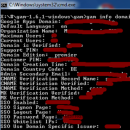
Google Apps Manager (GAM) by jay0lee is a powerful command-line tool designed for managing Google Workspace accounts efficiently. It simplifies administrative tasks such as user management, group settings, and domain configurations, making it an essential asset for IT professionals. With a user-friendly interface and extensive documentation, GAM allows for automation of repetitive tasks, saving time and reducing errors. Its versatility and robust feature set make it a must-have for organizations ...
| Author | jay0lee |
| Released | 2025-07-31 |
| Filesize | 27.60 MB |
| Downloads | 1111 |
| OS | Windows 11, Windows 10 32/64 bit |
| Installation | Instal And Uninstall |
| Keywords | Google App Manager, Google Apps, Control Domain, Google Apps, Manager, Control, Domain |
| Users' rating (50 rating) |
Google Apps Manager Free Download - we do not host any Google Apps Manager torrent files or links of Google Apps Manager on rapidshare.com, depositfiles.com, megaupload.com etc. All Google Apps Manager download links are direct Google Apps Manager download from publisher site or their selected mirrors.
| 7.17.02 | Jul 31, 2025 | New Release | Updated gam <UserTypeEntity> print|show webmastersites to handle the following error that occurs if you haven't updated your project to include the Google Search Console API. |
| 7.17.01 | Jul 30, 2025 | New Release | Fixed bug in gam <UserTypeEntity> show webmastersites that caused a trap. Added commands to discover Sites and WebResources that managed users (previously unmanaged) may have access to for better governance and visibility. These are special purpose commands and will not generally be used. |
| 7.16.01 | Jul 29, 2025 | New Release | The Drive API now supports setting download restrictions on individual files. Added downloadrestictions and <DriveDownloadRestrictionsSubfieldName> to <DriveFieldName>. <DriveDownloadRestrictionsSubfieldName> ::= downloadrestrictions.itemdownloadrestriction| downloadrestrictions.effectivedownloadrestrictionwithcontext Added itemdownloadrestriction (restrictedforreaders [<Boolean>]) (restrictedforwriters [<Boolean>]) to <DriveFileAttribute>. From the Drive API documentation: itemDownloadRestriction - The download restriction of the file applied directly by the owner or organizer. This does not take into account shared drive settings or DLP rules. effectiveDownloadRestrictionWithContext - Output only. The effective download restriction applied to this file. This considers all restriction settings and DLP rules. restrictedForReaders - Whether download and copy is restricted for readers. restrictedForWriters - Whether download and copy is restricted for writers. If true, download is also restricted for readers. |