Navigation:
pyblassreports 1.6 freeware
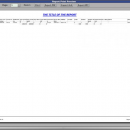
Pyblassreports is a multiplatform framework for report development or converting to PDF. It is also used to export in SLK, export in XLS, export RTF , export in HTM, print preview for the report, and direct export without visualization of the report.
| Author | Blass Alexandru - Cristian |
| Released | 2014-06-09 |
| Filesize | 307 kB |
| Downloads | 843 |
| OS | Windows XP, Windows Vista, Windows Vista x64, Windows 7, Windows 7 x64 |
| Installation | Instal And Uninstall |
| Keywords | printing framework, report creator, pdf export, export, report, creator |
| Users' rating (12 rating) |
pyblassreports Free Download - we do not host any pyblassreports torrent files or links of pyblassreports on rapidshare.com, depositfiles.com, megaupload.com etc. All pyblassreports download links are direct pyblassreports download from publisher site or their selected mirrors.
| 1.6 | Jun 9, 2014 | New Release | Tkinter: DONE: Modified the report plot axis label position; DONE: Added support for window reparenting and a tabbed frame (like the GTK sNotebook widget); DONE: Export report in EPS file format with multipage, done adding a flag in Tk_ReportPreview class, multiple, and if it's true it draws all pages on one canvas; OverAll: DONE: Added the use of environment variable LOGNAME for newer linux systems; DONE: Modified exception handling; DONE: Fixed some report bugs; DONE: Modified the class RepObject; DONE: Modified the report example help __helpGtkTk__; |
| 1.5 | Feb 27, 2012 | New Release | PyGTK: · DONE: Modified the PyBlassReports icon; · DONE: Created and implemented the RTF color conversion function; · DONE: Renamed all classes for PyGTK with gtk prefix; Tkinter: · DONE: Constrants: %printpage%, %printpagefrom%, %printdate%, %printdatetime%; · DONE: Image resize with PIL Image.resize; · DONE: Export to PostScript multipage file that can be printed; · DONE: Calculate date and time in XLSX; · DONE: Export to other file formats; · DONE: Wrapping text on vertical with calculation for rows height and rows on page · DONE: Implement export to rtf; · DONE: Calculate 16Bits color number for RTF; · DONE: Print to printer - bug in the Tkinter Canvas postscript function - on evince can see the drawing but on the printer prints outside the margins -> no paper printed: Resolved: pageanchor = "sw", pagex = 0, pagey = 0 -> Not a BUG; · DONE: Send EPS to printer under WIN32, need to install Ghostscript gswin32c.exe, and add it to PATH; |
| 1.0 | Oct 31, 2011 | New Release | · Modified the ReportPlot class (all); · Added in the ReportPlot class label support for each lines, XY custom labels, grid lines, option to show or not to show the points coordinates; · Added 3 classes to create a PNG image (drawPlotImage, drawCodeEan13, drawCodeBar128) and save it to the 'reports' folder; · Integrated the 3 new classes (drawPlotImage, drawCodeEan13, drawCodeBar128) in the ReportPreview, ReportCell and SubreportRowCell class export_html and export_rtf functions to create the documents and after delete the PNG images; · Added in the RTF and HTML export document the plot, ean13 and codebar128 images; · Added export in Gnumeric xml spreadsheet format; · Modified the Excel_CELL class and ReportPreview.export_xls function; · Added support for PNG image width and height size; · Added support for custom size paper: paper_name = "2480x3508", paper_orientation = "customxportrait"; · Implement export_xhtml, an xHTML + SVG + JS; · Add to export_xhtml text left/center/right aling |