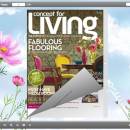
Free Flip Books Editor 1.0 freeware

We save information simply into a text file before but never thought to make any change for it. Today, I provide you a new way to save your text files. It is just to transfer them into flip books with virtual page flipping effect. The software we release is completely free. No any charge is required for downloading, using and upgrading. It is a small application and will ...

Author eMagMaker Ltd.
Released 2012-06-19
Filesize 17.77 MB
Downloads 312
OS Windows XP, Windows Vista x64, Windows 7 x32, Windows 7 x64, Win2000, Windows 2000, Windows 2003, WinServer, Windows Vista, Windows Vista x64, Windows Vista, Windows Vista
Installation Install and Uninstall
Keywords freeware, free software, free download, Free Flip Books Editor, text to flash, flash flip, text to flash magazine, flip books
Users' rating
(26 rating)
Free Flip Books EditorAnimation ToolsWindows XP, Windows Vista x64, Windows 7 x32, Windows 7 x64, Win2000, Windows 2000, Windows 2003, WinServer, Windows Vista, Windows Vista x64, Windows Vista, Windows Vista
Free Flip Books Editor - file change Freeware Download Notice

Free Flip Books Editor Free Download - we do not host any Free Flip Books Editor torrent files or links of Free Flip Books Editor on rapidshare.com, depositfiles.com, megaupload.com etc. All Free Flip Books Editor download links are direct Free Flip Books Editor download from publisher site or their selected mirrors.

Free Flip Books Editor freeware - The Latest User Reviews
Free Flip Books Editor freeware - The Latest Versions History
1.0 Jun 19, 2012 New Release

Most popular Animation Tools freeware downloads

Painting Theme for 3D Flip Book

1.0 freeware download

... 3D PageFlip program, design "Page Layout", set logo file, logo link, base color, tilt angle, background config and so on, click "Apply Change"; 2. Click 3D book icon and then choose ...

Health Beauty Sequel Theme for 3D Book

1.0 freeware download

... 3D PageFlip program, design "Page Layout", set logo file, logo link, base color, tilt angle, background config and so on, click "Apply Change"; 2. Click 3D book icon and then choose ...

3D PageFlip Free Simple Life Templates

1.0 freeware download

... 3D PageFlip program, design "Page Layout", set logo file, logo link, base color, tilt angle, background config and so on, click "Apply Change"; 2. Click 3D book icon and then choose ...

3D PageFlip Free Exhibit Mode Templates

1.0 freeware download

... 3D PageFlip program, design "Page Layout", set logo file, logo link, base color, tilt angle, background config and so on, click "Apply Change"; 2. Click 3D book icon and then choose ...

3DPageFlip Flash Catalog Templates for Dreamy World

1.0 freeware download

... 3D PageFlip program, design "Page Layout", set logo file, logo link, base color, tilt angle, background config and so on, click "Apply Change"; 2. Click 3D book icon and then choose ...

beauty in the corner theme for 3d book

1.0 freeware download

... books with these amazing themes and you can change your style of the digital books. The Beauty ... 3D PageFlip program, design "Page Layout", set logo file, logo link, base color, tilt angle, background config ...

Fresh Green Theme for 3D Page Flip Book

1.0 freeware download

... 3D PageFlip program, design "Page Layout", set logo file, logo link, base color, tilt angle, background config and so on, click "Apply Change"; 2. Click 3D book icon and then choose ...

Free Page Flash Book Builder

1.0 freeware download

... can use it as a conversion tool to change your txt (and more formats) to a page ... Flash Book Builder for Free are shown below: Change templates, tool bar detail and background detail, including ...

Forest Theme for 3D PageFlip Templates

1.0 freeware download

... you are not satisfied with details, you can change it from the designing tool bar. Vivid your ... 3D PageFlip program, design "Page Layout", set logo file, logo link, base color, tilt angle, background config ...

Red templates for 3D page flip book

1.0 freeware download

... 3D PageFlip program, design "Page Layout", set logo file, logo link, base color, tilt angle, background config and so on, click "Apply Change"; 2. Click 3D book icon and then choose ...