
Navigation:
- Freeware
- - Graphic Apps
- - CAD
- - ATCalc
ATCalc 4.0 freeware
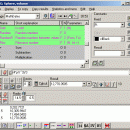
Write the calculations you wish to make on one line: you can thus see and write, for example (12*3)/(4+2+8) and ATCalc is was specially developed as complex graphic calculator that features a programming environment. you can review if they have been correctly typed.
| Author | Jordi March Nogue |
| Released | 2011-12-05 |
| Filesize | 2.70 MB |
| Downloads | 360 |
| OS | Windows XP, Windows Vista, Windows Vista x64, Windows 7, Windows 7 x64 |
| Installation | Instal And Uninstall |
| Keywords | complex graphic calculator, review calculations, programming environment calculator, calculator, calculate, formula |
| Users' rating (20 rating) |
ATCalc Free Download - we do not host any ATCalc torrent files or links of ATCalc on rapidshare.com, depositfiles.com, megaupload.com etc. All ATCalc download links are direct ATCalc download from publisher site or their selected mirrors.
| 4.0 | Dec 5, 2011 | New Release | The objects (TStringList, TRealList, TPointList and TRMatrix) now have their own functions and procedures, and many of those functions and procedures called objects, are now integrated in the object: so if SL is a TStringList type, before there was to add a string the procedure SLAdd, and was: SLAdd (SL, 'A string')now no longer exists SLAdd, and instead there is the procedure Add integrated in the TStringList, thus the result is: SL.Add ('A string')but there is a procedure with the same name to add numbers to a TRealList, so for an object RL, like this: RL.Add (12)obviously: · RL.Add ('A string')produce an error message. Renaming list: For lists: · LClear -> Clear · LCount -> Count · SLAdd / RLAdd / PLAddP -> Add · SLAddStrings / RLAddNums / PLAddPoints -> AddItems · SLIndexOf / RLIndexOf -> IndexOf · SLGetItem / RLGetItem / PLGetItem -> GetItem SLSetItem / RLSetItem -> SetItemFor lists and TRMatrix: · LLoadedFFile / RMLoadedFFile -> LoadedFFile · LSavedToFile / RMSavedToFile -> Saved |


