
Navigation:
ImgBurn 2.5.8.0 freeware
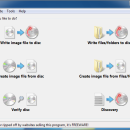
... What's more, it's instantly ready for DVD or disk burning. ...
| Author | Imgburn |
| Released | 2013-06-16 |
| Filesize | 3.80 MB |
| Downloads | 13201 |
| OS | Windows 2000, Windows 2003, Windows XP, Windows Vista, Windows Vista x64, Windows 7, Windows 7 x64, Windows 8, Windows 8 x64, Windows 10, Windows 10 x64 |
| Installation | Instal And Uninstall |
| Keywords | burn, dvd img burn, erase dvd, image burn, img, img burn, img burner, imgburn, imgburne, imgburner, iso read, nero, nero startsmart, power iso, small cd writer, Img Burn |
| Users' rating (178 rating) |
ImgBurn Free Download - we do not host any ImgBurn torrent files or links of ImgBurn on rapidshare.com, depositfiles.com, megaupload.com etc. All ImgBurn download links are direct ImgBurn download from publisher site or their selected mirrors.
| 2.5.8.0 | Jun 16, 2013 | New Release | # Added: Holding the ALT key when clicking on DLE window's Disc pane column header will now remove the sort order (so they're then essentially sorted by addition order). # Added: Ability to incrementally search the Explorer pane in the 'Disc Layout Editor' window. # Added: The effective USB connection speed (1.1, 2.0, 3.0) for USB devices to the initial device scan log entries. # Added: Log entry when burning showing the effective layer break position. # Added: Log entry when burning that shows the number of discs a Lite-On drive thinks it has burnt. # Added: Pioneer drives now list their 'Kernel Version' next to the firmware version. # Added: The Windows 7+ taskbar button/progress display now turns red if an I/O error box pops up during a read/write (etc.) operation. # Added: The ability to set the 'Platform ID' when building a bootable disc - thus enabling the creation of UEFI bootable discs. |
| 2.5.7.0 | Mar 29, 2012 | New Release | # Added: Additional info (service name and driver version for hard disk controllers) to the 'Family Tree' text. # Added: 'Supported Read Speeds' to the disc info text in Read/Verify modes. # Added: New log entry (when burning DVD-RAM/HD DVD-RAM/BD-RE) showing the current state of the 'Hardware Defect Management' feature on the drive. When active, the drive would 'normally' take longer to burn a disc due to the automatic 'verify after write' process. # Added: Option to use the system default language. When an exact match cannot be found (i.e. the correct translation file is missing from the Languages folder), the program will attempt a partial match. # Added: Ability to perform LiteOn's SmartErase functions. # Added: Show 'MID' in the 'Disc Information' section of the text on the right - easier to find and always available under the same heading. # Added: Ability to translate the image/disc size values on the recently added 'Overburn / Truncate' prompt. |
| 2.5.6.0 | Oct 4, 2011 | New Release | · Added: Option to truncate image (not physically!) when burning to a smaller disc rather than always attempting to overburn. · Added: New 'Create BDMV Folders' option to the Blu-ray Video options in Build mode. This ensures the BDMV folder contains all the basic folders required for successful playback in PowerDVD. · Added: New 'Clear Bin Status' button to the Auto Loader Control window. This only applies to Generic auto loaders and tells them to revert to using the first lot of input/output bins. · Added: Workaround for autoloaders that don't report an error when the input bin is empty and cause the program to keep loading and unloading non-existent media as part of a batch mode read/queued write operation. · Added: Option to log skipped 'non archive' files/folders in Build mode - files without their 'archive' attribute set (this is nothing to do with zip, rar files etc. !). · Added: Workaround for Wine bug #22079 · Added: Workaround for Wine bug #27559 |


